What AI citation summaries really mean for your email marketing
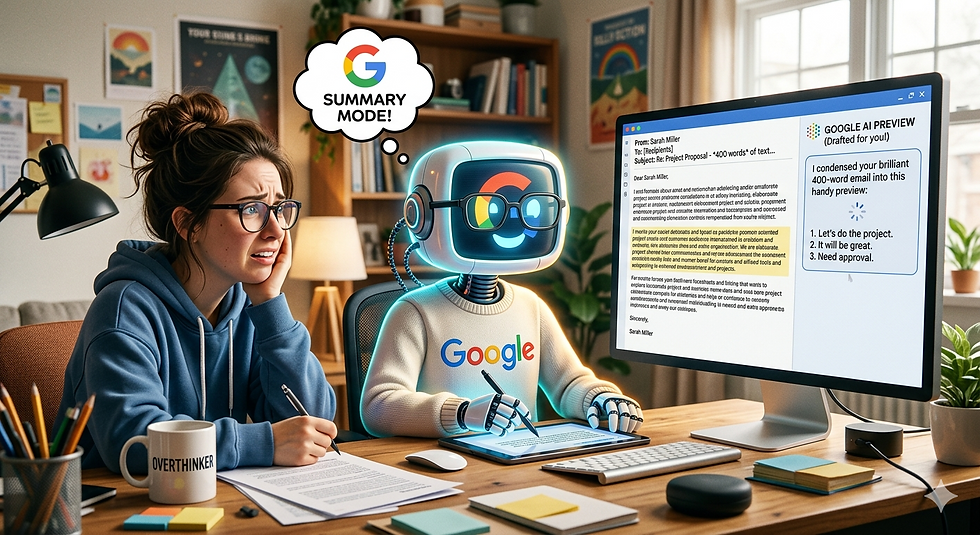
Your audience may not be reading your emails in full but the AI inbox assistant is. And it’s judging you before a human ever will.
For the last 20 plus years, we optimized email subject lines for the human eye. We chased open rates with curiosity gaps, and FOMO.
That era is over.
Here is the reality of 2026: AI is reading your emails before your customers do.
Google’s TabNet, Microsoft’s Security Copilot, and a dozen third-party smart inbox tools now scan every B2B email before it ever reaches the "Primary" tab. These models don't "read" for fun. They read for risk, relevance, and ROI—on behalf of the user.
If your email looks like a sales pitch it can get flagged.
Too many links? Flagged.
A "unsubscribe" link buried in 6pt font? Flagged.A tone that screams "mass template” put you in the AI quarantines "Promotions" folder that your customer will never voluntarily open.
Here’s the kicker:
The AI doesn't just filter spam. It summarizes your brilliant 400-word email into a three-bullet preview. "This sender claims to solve X. They mention Y competitor. They offer Z discount."
If that summary sounds boring or irrelevant? The human never clicks.
So how do you write for a machine that thinks it’s protecting its owner?
Write for the summary first.Assume the AI will strip away your adjectives. Lead with one concrete fact that matters. Not "Exciting opportunity to revolutionize workflows." But "We reduced ticket response time by 34% for [Similar Company]."
Make your plain text version perfect. Rich HTML emails look great but confuse AI parsers. A clean, text-first structure with clear headers tells the machine: "This is readable. This is legitimate."
Kill the spammy cadence.Words like "guaranteed," "act now," "congratulations," or excessive exclamation marks are the AI equivalent of shouting in a library. The model will tag you as high-pressure—even if your offer is solid.
Optimize the "human ask."The AI is looking for permission triggers. If your email says, "reply with 'INFO' to see a case study," the machine notes that as low risk. If it says, "click this link to book a demo," that scores higher on the "sales automation" risk scale.
The smartest teams I know are now A/B testing against AI previews, not open rates. They’re asking: What does the machine summarize to my buyer?
Because here’s the uncomfortable truth: If your email fails the AI’s sniff test, it doesn't matter how good your product is. You may never get to first base.
Humans haven’t become less important. Their time has just gotten a new bodyguard. Learn to talk to the guard.
Some users can turn off these settings but many other features in Gmail will also be reduced. Many users may like this feature as it does allow for a quick scan of what’s inside before reading.
The AI-Inbox Readiness Checklist
Before hitting send, ask yourself:
Can an AI summarize my email in two clean sentences?
Sentence 1: The problem or outcome.
Sentence 2: The specific ask.
If no → You're not ready.
Does my email do exactly one thing?
One problem.
One audience.
One next step.
If you've buried a second offer or a third link → Start over.
Would an executive thank me for the summary?
Imagine the AI preview reads: "X solves Y. Reply with 'Z' to see how."
If that sounds useful → Send.
If it sounds like spam → Rewrite.
Let AZ Publishers write your emails so they don't get bypassed.


Comments